 |
|
Low-level editorFeature available only in Premium and Personal editions. Note: if you are new to KbdEdit, we recommend that you read the Introduction first. If you are interested in learning more about the internal structure of Windows keyboard layouts, Administration and deployment is a great place to start. The Low level editor is charged with the tasks of:
Additionally, the Low level editor shows details about the Mouse keys advanced layout properties. Essentially, the Low-level editor lays out the groundwork for High level editor, in which Unicode characters are assigned to virtual key codes.
Some of the modifications that can be made using the Low-level editor:
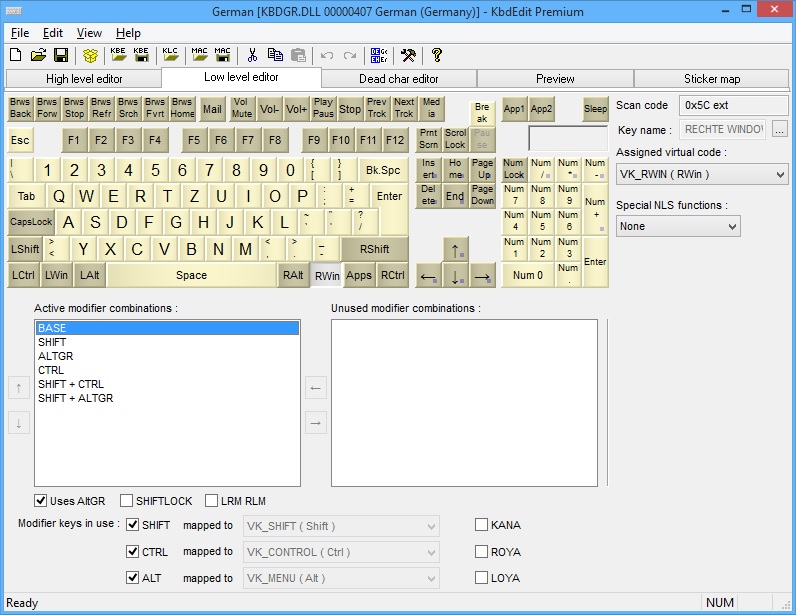
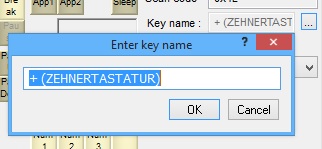
In order to better understand the purpose of this editor, a brief explanation of how physical keyboard operates is due. Each physical key generates a unique 8-bit value called “scan code”. For historical reasons, certain keys generate so called “extended” codes: their scan code is preceded by a special “escape” character to differentiate them from “ordinary” characters with the same scan code. In brief, each physical key is identified through its scan code and whether the scan code is extended or not. The Unicode code points are not mapped directly to scan codes. Instead, they are assigned to so-called “virtual key” codes. Each keyboard layout has a special table which defines mapping from scan to virtual key codes. This additional layer of redirection is very useful as it decouples the high-level keyboard design from the raw scan codes, which even though standardized can be and indeed are different for certain special keyboards. One example is NEC keyboard used for Japanese. One useful side-effect of this design is flexibility: almost any key on the physical keyboard can be programmed to act as absolutely any special or letter-producing key. Even the low-level keys like Shift, Caps Lock and Num Lock can be moved away from their default positions. The only exception is the Pause key, which cannot be moved from its standard position on the right-hand side of Scroll Lock (this is not the only peculiarity of this key, as will be shown later). Virtual Key visual representationThe upper half of the low-level view is occupied by a keyboard's visual representation. At any moment, only one physical key (i.e. scan code) is "active". This key is drawn as pressed in the keyboard display, and the field "Scan code" shows its scan code. For example, the key normally mapped to left Ctrl has a scan code of 0x1D, whereas the right Ctrl has the same scan code, but with the "Extended" attribute set. The color of a key is also important: lighter-colored keys are mappable, i.e. they can be assigned Unicode code points in the High-level editor. Conversely, the keys drawn in a darker shade are not mappable - they are either modifier or special keys, whose function is fully defined by the VK code. Physical keys (i.e. scan codes) can have an optional human-friendly key name. These names can be edited via the Edit key name popup dialog, which is accessed via the "..." button to the right of the Key name field:
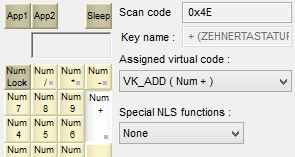
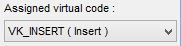
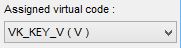
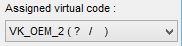
Key names serve a purely informational purpose, e.g. they may be displayed in certain applications that process low-level keyboard input, like games. Otherwise, the names are not interpreted by the keyboard layout engine, and do not in any way affect the keys' behaviour. Current key's virtual code is clearly displayed in the "Assigned virtual code" combo box - for example, VK_ADD for the "Numpad +" key.
The character(s) drawn on the keyboard's visual representation are an abbreviation of the key's virtual code, and do not necessarily reflect the Unicode characters the key generates (creating Virtual Key / Unicode mappings is the domain of the high-level editor).
An "alphanumeric" virtual code does have one function which does not depend on Unicode characters mapped to it: keyboard shortcuts in Windows applications are nearly always bound to virtual codes. Standard "Clipboard Paste" shortcut "Ctrl+V" will remain bound to the virtual 'V' key code even if this code is mapped to letters other than 'v' and 'V'. |
|
Copyright © KbdSoft 2007-2026 |